

Preconstruction feels a bit different these days. Not perfect, still rough in places. But things connect better now. Earlier, everything lived in separate spots. Drawings in one folder, specs somewhere else, emails all over the place. People spent more time searching than deciding. And still, things got missed.
Now, tools pull those pieces closer. Not fully tight, but close enough to see the full picture. That alone changes how teams work. It feels less scattered. A bit steadier.
Why This Stage Matters
Preconstruction does not look exciting. No machines, no noise, no visible action. Just people sitting with drawings and numbers. But this is where most problems begin or get solved.
Work Smarter, Not Harder
iFieldSmart empowers your team with AI-driven efficiency to simplify scheduling, boost collaboration, and keep projects on track.
Schedule a MeetingA small miss here turns into a big issue later. A gap in scope shows up as a delay. A missed detail becomes an extra cost. It happens quietly.
So teams try to move earlier now. They check more, talk more, and track things better. Good preconstruction software supports that. It helps highlight gaps early and keeps everyone aligned. That early clarity saves effort later.
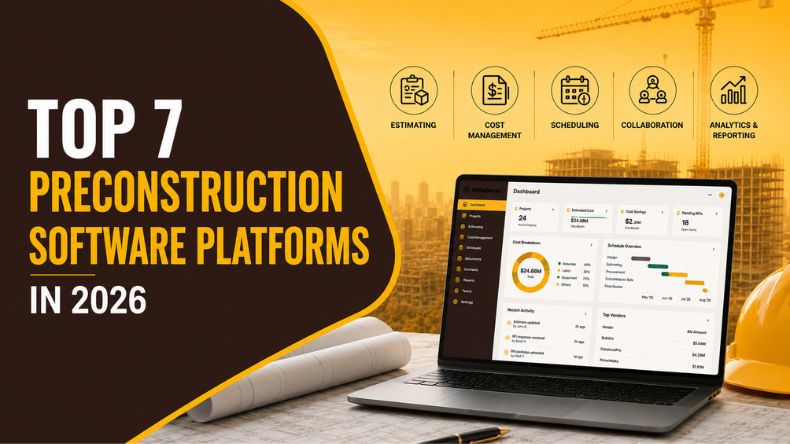
Top 7 preconstruction software in 2026
1. Autodesk Construction Cloud
Autodesk Construction Cloud feels natural for teams that depend on design models. If the project runs on BIM, this fits right in. It keeps models, drawings, and tasks connected in one place.
Teams can catch clashes before work starts. Files stay easy to find. Updates move through the system without much delay. It helps teams stay in sync during early planning.
It works well for large firms, design heavy teams, and projects where coordination matters a lot. When design and planning stay close, fewer surprises show up later.
Top Features
- Strong BIM model support
- Clash checks before site work
- Central file storage
- Task tracking tools
- Design data flows into planning
2. Procore Preconstruction
Procore feels familiar to many teams. That helps. There is no big shift in how people work. It feels like an extension of what they already use.
It handles bids, budgets, and vendor checks in a clear way. Teams can track progress across stages without confusion. And when work moves to the site, the data is already there.
It suits general contractors, large teams, and firms already using Procore. It keeps things steady. Nothing feels out of place.
Top Features
- Bid tracking and invites
- Cost and budget tools
- Vendor pre check
- Clear workflow tracking
- Link to the construction phase
3. iFieldSmart AI
iFieldSmart AI brings many parts together in one view. Drawings, specs, and site updates all connect. That reduces the back and forth between tools.
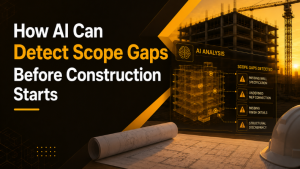
It uses AI to scan drawings and find issues early. Scope gaps, spec conflicts, small misses. Things that often slip through. It also tracks site progress through real-time capture and a digital twin view.
This works well for teams dealing with scattered data or fast-moving projects. It helps connect what is planned with what is actually happening on site. That gap matters more than people think.
Top Features
- AI checks for design issues
- Early scope gap detection
- Submittal review support
- Real-time site capture
- Digital twin with live tracking
4. BuildingConnected
BuildingConnected focuses on bidding. And it keeps that process simple. Teams can reach many subcontractors quickly and track responses in one place.
Comparing bids becomes easier. Communication stays clear. There is less confusion about who said what and when.
It fits well for bid teams, general contractors, and projects with many vendors. It helps keep the early stage clean and easy to manage.
Top Features
- Large subcontractor network
- Simple bid invites
- Easy bid comparison
- Central communication
- Links with estimate tools
5. STACK
STACK keeps things light and simple. That is what makes it useful. Teams can start quickly without much setup.
Takeoffs are fast. Estimates are easy to build. The system does not feel heavy or complex. That helps teams actually use it day to day.
It works well for small contractors, estimators, and trade teams. When tools are simple, people stick with them.
Top Features
- Fast digital takeoffs
- Cloud-based estimates
- Built-in cost data
- Team sharing tools
- Easy interface
6. Sage Estimating
Sage Estimating focuses on cost in detail. It gives teams strong control over numbers. Past data helps improve new estimates. That adds more confidence over time.
It connects with finance tools and supports custom setups. Reports stay clear and structured.
It works best for large firms and teams that care deeply about cost accuracy. When numbers matter most, this helps keep things steady.
Top Features
- Detailed cost data
- Past data tracking
- Finance system links
- Custom estimate setup
- Reports and insights
7. Concentric AI
Concentric AI looks at data in a different way. It tries to read patterns, not just store information. More so, it displays risks, trends, and signals.
Also, it learns from the data it analyzes. That helps teams think ahead instead of late reactions.
It fits teams that focus on data and want to explore AI in planning. It adds another layer of insight during early decisions.
Top Features
- AI data insights
- Risk signals
- Pattern tracking
- Predictive views
- Learns over time
Choosing the Right Tool
There is no perfect tool here. That part stays the same.
The better question is simple. What feels broken right now?
If bidding slows things down, start there. If costs feel unclear, fix that first. If design causes issues, focus on coordination.
Some teams use many tools. That can work for a while. But too many tools split the data again. And then the same problems return.
What Is Changing
Something subtle is shifting. A preconstruction workflow used to mean collecting data. Now it feels more like connecting it.
Teams do not look at drawings alone anymore. They look at models, specs, and site updates together. That gives a fuller view.
And when the view is clearer, decisions feel easier.
AI in Preconstruction
AI is showing up quietly. Not in a loud way. It works in the background.
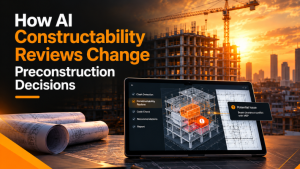
It scans drawings, reads specs, and flags small issues. Sometimes, people miss things. Small gaps, missing notes, conflicts.
It does not replace people. It just supports them. Helps them move faster and catch more.
Conclusion
Preconstruction management software sets the tone for everything that comes later. If things feel clear here, the rest of the project feels smoother.
If not, issues show up later. And fixing them later always costs more.
The right tool does not fix everything. But it brings more clarity. Enough to move forward with fewer surprises.
And maybe that is the goal. Not perfect work. Just better decisions, a little earlier.