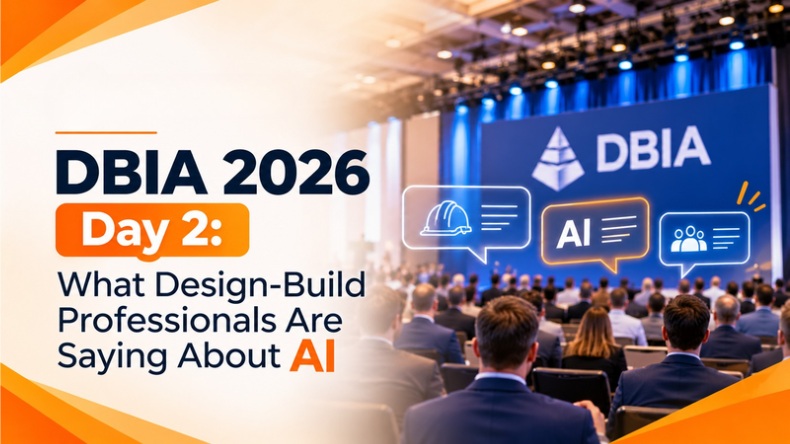


Day 2 of DBIA 2026 brought changes to Booth 131. The design-build professionals who stopped by yesterday out of simple interest returned today for more detailed discussions. They brought design-build project challenges and asked how AI could help overcome them.
The discussions covered document reviews and submittal tracking, jobsite coordination and project reporting, among other day-to-day challenges construction teams face. The range of questions was impressive, and even more impressive was how practical they were.
As we looked back on another busy day in Cleveland, several themes began to emerge. Here’s what caught our attention, what industry professionals shared, and how iFieldSmart AI could help address some of these challenges.
Work Smarter, Not Harder
iFieldSmart empowers your team with AI-driven efficiency to simplify scheduling, boost collaboration, and keep projects on track.
Schedule a MeetingAnd with one day still to go, we’re looking forward to more conversations at Booth 131. If you’re attending DBIA 2026, find us!
When Project Requirements Don’t Match
Reading a spec section used to be the job. These days the job is reconciling it with whatever else the owner has attached. Many owners bring their own technical standards, and those sit on top of the contract documents. Somebody has to line the two up. It’s slow, it’s easy to get wrong, and you usually find out you were wrong when a reviewer rejects the work.
A handful of visitors wanted AI to compare documents against each other instead of reading one at a time. We think that’s the direction this whole space is going. Noting places where two sources disagree is more valuable than summarizing either one, as disagreements present opportunities for advancement.
Drawings and Specs Q&A requires teams to do the reverse and pull requirements from the project documents to show the source. Comparison of owner requirements to manufacturer’s standards is a good fit for Custom AI Workflows.
Submittal Reviews Are Just the Beginning
Once submittal packages are reviewed, teams are interested in what comes next. There was interest in creating a log based on the specs, and a means to view what had actually been submitted. There was also interest in tracking what was being submitted and what was still missing.
The next move surprised us. Once a compliance check found gaps, people expected the AI to draft the resubmission request and flag the right person too. Review was half of it. Getting the result moving was the other half. A human still approves whatever goes out.
Incomplete packages, or ones filed under the wrong section, turned up more than you’d hope. That’s why a quick first pass earns its keep.
The Submittal Log Generator builds the log from CSI sections. Submittal Compliance Review checks each package against what the spec asks for.
Making Project Progress Easier to Track
Progress questions came in all day. Where do we stand by level? Which trade is dragging? Will the open RFIs hold up the next phase? In our demo, the AI picked out the lagging trades and suggested where to put people.
Then there was the daily report. A few visitors asked for one, almost sheepishly. Every superintendent knows the feeling of writing it at the end of a long shift. Pulling manpower, work in place, and safety notes into a draft is exactly the sort of busywork that should go to software.
One caveat. Progress numbers are only as good as the field records under them. The AI can organize what was captured. It can’t make up what wasn’t.
Turning Jobsite Observations into Action
A good number of visitors wanted observations to turn into action. Log the issue against a place, link it to the right drawing, hand it to the responsible trade.
Small change, big effect. An issue that lives in somebody’s notes or a text thread gets forgotten. One that has a location and an owner tends to get closed. People who reviewed recent jobsite captures also asked the AI what to do next, which tells you findings on their own weren’t enough for them.
Constructability Review flags coordination risk before it gets to the field. Construction Email AI turns a follow-up into something tracked.
Bridging the Gap Between Design and Reality
The relationship between what is designed and built was another hot topic on Day 2.
There was a lot of interest in the recent Jobsite captures to compare the installed work to the BIM model, and to analyze differences and identify coordination issues for various trades. A lot of context was requested around issues identified, including what level and what corridor were impacted, whether there were open RFIs, and if there were any outstanding issues related to the concern.
There are many variables impacting the quality of these inputs, including age of the model and the completeness of the site documentation. AI can connect the data, but to get good results you still need good project data.
Understanding the Ripple Effect of Project Changes
Design-build runs on change. Visitors asked how to see the ripple when a bulletin or revision lands, since a single change can touch several open RFIs and submittals while the affected people hear nothing.
They also wanted to trace change orders back to where they started. A change order rarely begins as one. It starts as an RFI, a field call, or a revised sheet, and the paperwork trails behind. Seeing that trail early is the point.
Change Management AI follows design changes and what they affect.
Beyond the Expected: New Possibilities for AI
Some visitors went somewhere new. Checking building performance against energy targets after the job is done. Managing site access and safety on a crowded project, retrieving quantities and placing them directly from the BIM model.
The questions varied; they all addressed the same fundamental problem: project data is dispersed over several papers, models, and systems. Integrating information requires effort and time.
This is where agentic AI in construction can be of significant help. For example, AI agents can collect information, connect the dots, analyze project information, and assist with determining the next best step, while still allowing construction professionals the final say.
FAQ’s
Can AI check a submittal against the specification?
Yes, as a first pass. It can flag missing information, overdue items, and content that doesn’t match the spec, and draft a resubmission request. A qualified reviewer decides.
Can AI write a construction daily report?
It can put one together from manpower, work in progress, and safety notes. The superintendent should verify it before it goes out.
Can AI compare project specs with an owner’s standards?
The AI compares requirements across documents and highlights differences, and people confirm what matters.
One More Day to Connect at DBIA 2026
There’s still one more day to connect at DBIA 2026!
If you are attending, come by booth 131 and show us a project document, describe a challenge you are currently working on, or explain an everyday workflow that you think could be simplified. We want to help you define the challenge and determine if and how AI can help you.
Haven’t made it to Cleveland? You can still explore what we’re building. Take a look at our construction AI skills, explore our Mixed Reality, or visit our DBIA 2026 event page to learn more about our participation.
We look forward to more conversations, fresh ideas, and one more day of learning from the design-build community!