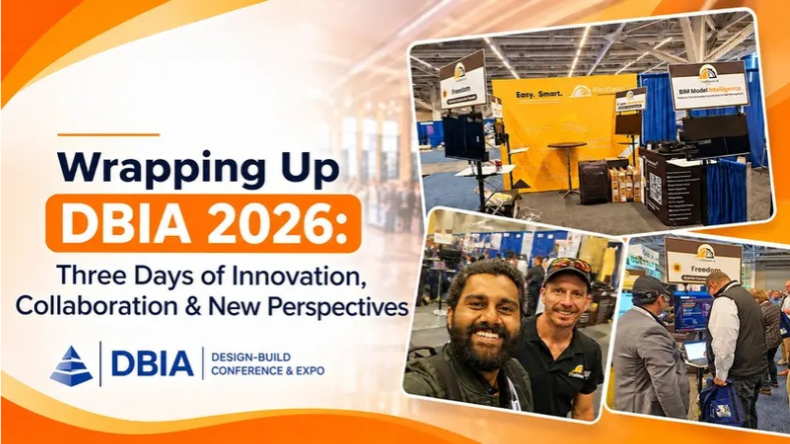


Three days in Cleveland. Countless conversations. New ideas, unexpected questions, and plenty of perspectives on where AI fits into the future of design-build.
DBIA 2026 gave us more than an opportunity to showcase iFieldSmart AI. It gave us a chance to listen to the people working on projects every day, understand the challenges they’re trying to solve, and see what they really expect from AI in construction.
From automating everyday project tasks and connecting scattered project information to comparing drawings, specifications, and BIM models, the conversations covered far more ground than we anticipated.
Work Smarter, Not Harder
iFieldSmart empowers your team with AI-driven efficiency to simplify scheduling, boost collaboration, and keep projects on track.
Schedule a MeetingWe left Cleveland with a wealth of ideas and a much clearer picture of what construction teams need from AI today, not just what they might expect from it tomorrow.
Before we get into what’s next, here’s a look back at three days of conversations, discoveries, and lessons that made DBIA 2026 worth remembering.
First, a big thank you to DBIA for bringing the industry together, and to everyone who stopped by Booth 131. Your questions, challenges, and ideas made these three days truly valuable.
Real Problems, Real Conversations
Day one started with the usual questions: People want to know what the technology does and how it works. I get it. That’s the starting point for any interaction with new technology.
By day two, the interactions changed. People began bringing specific problems they wanted the solution to address. They understood how time-consuming submittals and daily reports could be, and how much of the workday could be spent on administrative tasks. People were beyond the explanatory part of the AI conversation. They wanted to see if the technology would help them by taking some of the workload off and delivering consistent and reliable results.
We were excited to have the conversations. The biggest opportunity for any organization integrating AI is helping their end users in new ways to augment how they already work, and achieve what they need to achieve.
One Project, Many Perspectives
A contractor, a sub, an architect, a VDC coordinator, and an owner can all stand in the same spot and describe the same problem, just from where they sit.
The contractor fears the submittal doesn’t match the spec. The sub wants to know if those open RFIs will hold up the crew. The architect asks what a change will touch. The owner would like to see the site and hear what’s next.
Same tangle underneath. Drawings, specs, RFIs, submittals, a model, field records. Every one has a piece of the truth, and they don’t always line up. Most of the pain on a project lives in those gaps.
Beyond Summaries: The Need for Better Comparisons
We expected people to ask for summaries. Some did, but what stood out was how many wanted to compare information across project documents.
Does a submittal meet the specifications? Do the project specs align with the owner’s requirements? What has changed between two drawing revisions? Which of the outstanding requests are impacted by a new bulletin?
Questions like these show the importance of attention to detail in construction. Many things can be different across project docs, and summarizing all of that can be time-consuming, and oftentimes things are missed.
That’s when AI can be extremely beneficial. Yes, AI can summarize things, but it can also assist with other things, like helping teams identify deviations and bring to focus things that are important but can easily be overlooked.
From Insights to Action
Users wanted AI not just to detect problems, but to help take steps to resolve them.
This meant AI should be able to go beyond checking a submittal and help generate a response to the submittal, identify issues that are long overdue and send notifications to the responsible users, and automatically log site issues and route them to the proper trade.
Recognizing a problem is only half the battle. What is important is what is done about it.
Visitors were interested in AI that could suggest possible solutions to problems and help to prepare actions for review, but should leave the final decision in human hands.
This is what is expected from a design perspective. The goal should be to integrate AI in a manner that can help facilitate and assist users to make faster decisions, instead of removing the responsibility from users.
Connecting the Jobsite to the Model
Many users asked about verifying what is built against what is drawn. Users asked about recent site captures and checking the model against installed work, and asked for answers tied to a particular location (a level, a corridor, etc.) as opposed to generic answers.
Not long ago the model belonged to the coordination crew and the site belonged to the superintendent. Now both want the same answer to the same question.
Ideas That Got Us Thinking
Someone wanted to track revision history across a whole project. Another wanted out-of-scope change orders separated from costs a team had quietly absorbed. Another user asked about comparing specifications against an owner’s standards, taking quantities directly from the model, or keeping a watch on a building’s performance after it is occupied.
One user asked how to manage a dog on a job site and deal with safety plans and access logs. Not what we expected! But sure, every site has rules, and somebody has to keep track of them.
What links all of these is plain. The information exists. It’s scattered, and people want it working together.
Beyond the AI Hype
We expected big conversations about the future of construction. Instead, the requests were refreshingly practical: “Build me a log” or “Write today’s daily report.” It was a reminder that teams aren’t necessarily looking for grand promises. They want everyday tasks to take less time and require less effort.
Another thing we noticed was that identifying a problem was only half the job. People wanted to know what came next. They were looking for tools that could help turn findings into meaningful action.
There was also a healthy understanding of AI’s limitations. Many guests said requirements vary locally, and a reliable result depends on timely and up-to-date information. They are right. No AI tool can compensate for an outdated model or lacking site documentation.
Thinking About AI for Your Next Project?
Begin with a repeated task like completing a submittal log. Checking the result should be easy. Have a point person for the final call. Track the source of the answer. You should be able to draw or find it in a spec. section. Make sure your models and field records are up to date. And of course, pick a tool that works with your process.
iFieldSmart AI connects project documents, models, and systems like Procore, Autodesk Construction Cloud, and SharePoint, so a team can ask across all of them and get suggested next steps.
Questions We Heard
Will AI replace project managers or coordinators? We don’t think so. It does the repetitive checking and drafting, which leaves people free for calls that need experience.
How should a design-build team start? Pick one repetitive task, keep a person approving, choose a tool that shows its sources, and make sure your data is current.
The Next Conversation Starts Here
Although DBIA 2026 has come to a close, the conversations and ideas it sparked don’t have to end there.
Whether you stopped by Booth 131 in Cleveland or couldn’t make it to the event, we’d love to continue the conversation. Have a project document you’d like to put to the test? A recurring challenge you’d like AI to help solve? Bring it our way. We’d be happy to explore it with you and show you what’s possible with iFieldSmart AI.
Want to revisit the event or learn more about what we showcased? Visit our DBIA 2026 event page for more details.
Cleveland was just the beginning. We look forward to seeing where these conversations lead next.