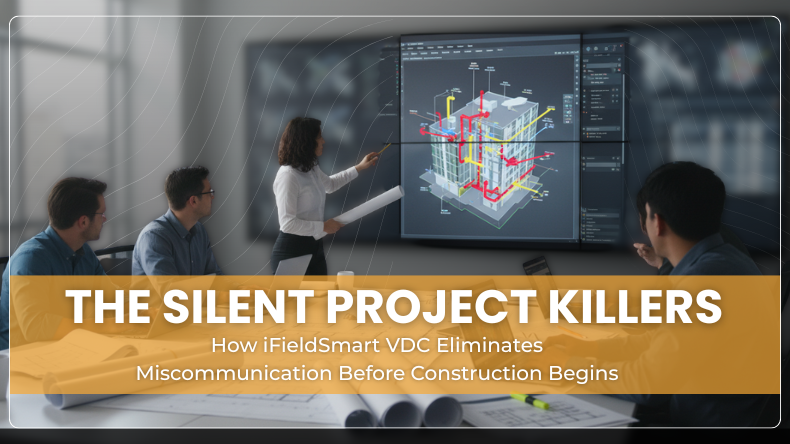


A project does not fall apart in one day. It slips. A note is missed. A model is old. A meeting runs long. People leave with different views. The cracks widen. Costs rise. Trust goes thin. The worst part is quiet. Miscommunication often goes unnoticed and causes damage.
Preconstruction should build shared focus. It often does not. Files do not match. Issues live in emails. A one- hour call hides a key point. Field and office drift apart. Teams lose time and patience. Margins feel it first. iFieldSmart VDC goes right at these traps and shuts them down early.
Why does miscommunication start so small
Teams swap files across tools. One trade uploads a new model. Another still works on the old one. People think they are aligned. They are not. Notes live in sheets and chats. Meetings end with a vague plan. Next week, the same clash is back. The pain is slow but real, coordination fatigue. Teams can fix issues at the source.
Work Smarter, Not Harder
iFieldSmart empowers your team with AI-driven efficiency to simplify scheduling, boost collaboration, and keep projects on track.
Schedule a MeetingOne place to work in Navisworks and on the web
Most VDC teams live in Navisworks. That is home base. It keeps them secure. The plugin ties model work to a cloud space. Every action links to the web. No exports. No uploads. No guesswork. That simple link cuts a dozen small gaps that lead to big misses. Work stays in one flow from model to web and back.
Always open the right model
Out-of-date files are the classic trip wire. Smart model aggregation fixes that. Teams open the NWF from the cloud. The latest trade files load for that level. No one hunts for a drive path. No one wonders if the sheet is old. A click pulls in the right set each time. That makes accuracy the default setting, not a wish.
Clashes and issues live in one truth
Clashes spark talk. Talk gets lost. The system keeps clashes and issue logs in one system that sits inside Navisworks and on the web. Viewpoints, IDs, notes, and owners stay tied to the same record. Teams filter and sort without leaving the model. Design and field see the same list and the same status. The loop is clear. The noise drops. The team moves.
Meeting proof notes without the long scrub
Long calls wear people down. The point everyone needs is at minute forty-nine. No one has time to scrub. The tool adds viewpoint recording right where work happens. Hit record. Walk the views. Talk through the fix. Stop when done. The short clip links to the exact viewpoint and the exact issue. Later, a trade can replay for thirty seconds and act. Less repetitive talk. Fewer crossed wires. Faster closeout of open items.
RFIs handled where the clash begins
RFIs grow when details blur. Here, each RFI links to a model view. People can add files and shots and send them on. The web picks it up for review and closure. That clear path stops RFI drift and keeps talk tied to context. No one guesses what a note means. The model shows it. The record proves it.
Old viewpoints come along for the ride
Teams often park saved viewpoints in folders. They sit there and get stale. CVP sync pulls them with the system with a click. Now they live with the rest of the issue set. Past work does not vanish. It stays in view and keeps its value.
Bring field truth into the model room
Design intent is one thing. Field reality is another. Gaps between them spark change orders and stress. Integrated Lens 360 puts site views inside Navisworks. People can compare the model and the job in front of them. Deviations stand out. Installs get checked with proof. Decisions land faster and with more trust. That link between plan and site is where many projects win time back.
It does not stop there. Lens 360 also ties RFIs, specs, submittals, drawings, and coordination views to the site walk. All linked in one place. Project engineers can pin an RFI from the field view. Design teams can see context before they respond. The whole group works from the same picture and set of facts.
Contract drawings at hand in Navisworks
Coordinators often bounce between windows. Model in one. Sheets in another. Focus breaks. The teams open any drawing from the cloud next to the model view. People reference the sheet while they mark an issue. Less juggling. Fewer slips. More clarity.
See progress and risk in a glance
A visual dashboard shows clashes, open items, cycle time, and trade status. Leads can spot a lag and press for action. Small delays do not hide. Data guides the next step. This kind of view does not feel flashy. It just helps.
Field and office move as one team
Miscommunication thrives when roles are split. It keeps the field and office in sync through the same issues, the same views, and the same linked records. Notes from the site are visible in the model room. Responses from design carry straight back to crews. That flow builds trust before ground breaks. The team shows up ready.
What VDC looks like when it works
Virtual design and construction is not a buzzword. It is the use of digital models to plan and check work before anyone steps on site. Done well, it keeps plans, scope, cost, and time aligned. Done poorly, it drowns teams in admin. iFieldSmart leans into the first path. It puts the model at the center and links talk and proof to it.
Where the silent killers used to hide
They used to hide in file versions. A small mismatch here. A wrong sheet there. Then they used to hide in meetings. A key decision lands, but no short record ties it to the view. Next, they used to hide in RFIs. A question floats without context. People make moves based on guesswork. Lastly, they used to hide in the gap between the plan and the site. The model says one thing. The wall says another.
Each of those has an answer here. Smart load of the latest files. Linked clips at the issue level. RFIs are tied to viewpoints. Site views inside the model. One system. One truth. A team that does not talk past itself.
Results that teams can feel
The site claims faster coordination cycles, less time spent on post meeting clean up, and full trace from clash to fix. That turns into fewer reworks and clearer ownership. Those wins add up before day one in the field. They do not make a headline. They just make projects land on time with less pain.
A quick walk through a typical week
Monday starts with the NWF from the cloud. Latest trade files load. No one checks dates or paths. A coordinator runs clashes. Issues sync to the web. The list is clean and assigned. Later a short clip logs the final call. A piping lead replays thirty seconds and knows the task.
Tuesday, the field team opens Lens 360 in Navisworks. The model sits next to the site views. A hanger looks off by a few inches. The team flags it and links an RFI to the exact view.
Wednesday design opens that RFI with context in view. The answer lands with a mark on the model. No one hunts for screenshots. No one pastes links across apps.
Thursday, the dashboard shows one trade falling behind. The PM reaches out. The team gets help where it matters.
Friday leadership reviews a short report. Clashes down. Cycle time down. Open items on track. The week feels calm. People trust the plan because they can see it.
What makes this different
It is not just another tool. It is a connected space that meets teams where they already work. Navisworks stays in play. The web keeps records clean. AI and field views add context when it counts. The best part is quiet. Problems surface early. Talk is clear. Decisions stick. The project steps into day one with less risk on its back.
When to bring it in
Bring it in as soon as the models start to move. Early design. Design assist. Precon. The sooner the better. Small wins stack up. Meeting clips build a trail. RFIs land with proof. The field sees what design meant. The team walks into mobilization with a shared focus and less noise. A simple promise for teams
Projects do not need perfect tech. They need clear talk and shared facts. iFieldSmart’s VDC sets that up. One place for models, issues, clips, and field truth. That is how miscommunication loses its grip. That is how silent project killers stay out of the way.