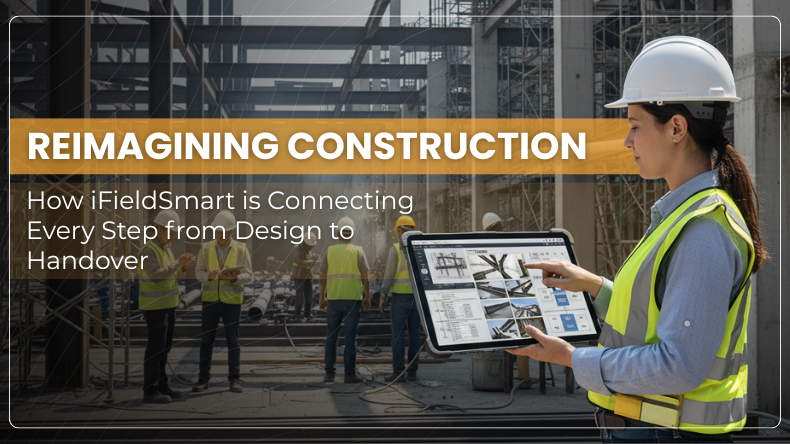


Construction projects often fall behind because teams don’t share the same data. Plans change, updates get lost, and site work drifts from design. iFieldSmart Lens360 solves this by joining every step of the process—from early design to project handover—on one simple platform.
It helps teams see, record, and track work with clear data and easy visuals. Every report, image, and note stays connected. The result is minimal confusion and faster progress.
1. Keeping the Office and Site in Sync
In many projects, office teams and site crews work in different silos. Designs sit in one place, field updates in another. Lens360 connects both.
Work Smarter, Not Harder
iFieldSmart empowers your team with AI-driven efficiency to simplify scheduling, boost collaboration, and keep projects on track.
Schedule a MeetingTeams can view drawings, reports, and 360° site photos in one shared space. Field workers add updates online, while on-site teams can view developments in real time. There’s no need for long emails or manual follow-ups.
This constant flow of information keeps everyone aligned. Site work matches design intent, and problems get fixed before they grow.
2. 360° Site Documentation for Real Project Visibility
Paper notes and scattered photos make it hard to track what’s happening on-site. iFieldSmart fixes that with 360° Site Documentation.
Teams can use a 360° camera to capture full areas of the site. Each capture links to drawings or floor levels. Anyone can then “walk through” the site digitally at any time.
This gives a clear record of progress and quality. Managers, clients, or engineers can view real conditions without being there. It saves travel time, reduces confusion, and helps spot errors early.
3. Simple and Visual 360° PDF Reports
Reports don’t need to be long or hard to follow. With 360° PDF Reports, teams turn site data into clear visual summaries.
Photos and notes are combined into a single PDF. Each report tells what’s done and what’s pending.
Because these reports are created from the platform, they are precise. No copy-pasting. No missed updates. Managers can review progress fast and make better calls.
4. Checking Real Work Against the Model
Mistakes often happen when what’s built doesn’t match the plan. The BIM Field Comparison feature helps fix that.
It shows the BIM model next to 360° site images. Teams can visualize what is planned and what is actually installed.
If a duct or pipe is not aligned, it is easy to identify. Field engineers can correct it before it causes delays. This simple comparison saves rework, money, and time.
5. Tracking Every Trade with Dashboards
Big projects have many trades—each with its own schedule. The Trade Progress Dashboards show live updates on who’s doing what.
Colored charts make it easy to track progress by trade, date, or zone. Managers can see if electrical work is ahead, plumbing is behind, or HVAC is delayed.
With this clear picture, teams can act early and adjust plans. It streamlines work and prevents costly pile-ups.
6. Fast and Clear Observation Report
When site crews notice issues, they need a quick way to record them. The Observation Reports tool makes that easy.
Workers take a photo, add a note, and tag the location. The issue is logged right away and assigned to the right person.
Supervisors can filter reports by trade or status to track fixes. Nothing gets missed. This simple process keeps the field organized and the project safer.
7. Bringing All Data Together
Construction teams often juggle too many tools. One for BIM, one for photos, another for schedules. The Data Integration feature pulls them together.
The system connects drawings, models, site photos, and reports in one place. When a detail changes in the design, it updates across the system. Everyone is aligned to view the same version.
This reduces errors and eliminates manual updates. The project data stays updated and easy to use.
8. A Smoother Project Closeout
Closeout is often the hardest part of a project. Collecting files, drawings, and handover data can take weeks. 360° Closeout Docs makes it simple.
All reports, photos, and records created during the job feed straight into the final package. No extra sorting or renaming.
Owners get a full record of the project—organized and visual. They can review how things were built and use it for future maintenance. This smooth handover saves time and builds trust.
9. Building Trust Through Accountability
Every project is executed better. Records updates with proof—photos, notes, and dates.
If there are ambiguities, the record displays the facts. They can check what happened and move forward.
This clarity ensures confidence among clients and contractors.
10. One Connected Path from Start to Finish
iFieldSmart keeps everything connected. Designs, site photos, and BIM data
Designers can see how their plans turn into reality. Field teams can track their progress against the model. Owners get a clear digital record at handover.
This steady connection between design, build, and closeout removes gaps that slow projects down. It keeps work clean and accountable.
Final Thoughts
Good construction needs clear data and steady coordination. iFieldSmart Lens360 offers both. It joins design, site work, reports, and handover in one simple platform.
Teams don’t waste time hunting for updates. They focus on the real work instead. Every task stays clear, recorded, and easy to track.
From start to finish, it keeps information connected so teams finish projects faster, easier, and with fewer errors.