

Introduction
Construction teams often struggle with gaps between what’s in the model and what exists on the ground. In 2025, bridging that gap with visual comparison is not a luxury—it’s essential.
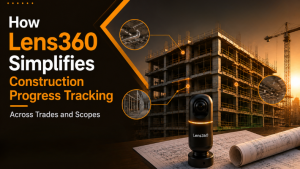
Lens360 by iFieldSmart offers a tool to overlay site reality with BIM models. You can compare design intent and actual build in real time. This reduces mismatches, avoids rework, and keeps everyone aligned.
Here’s why BIM vs Field visual comparison is very important, how Lens360 helps, and how teams can leverage it.
Work Smarter, Not Harder
iFieldSmart empowers your team with AI-driven efficiency to simplify scheduling, boost collaboration, and keep projects on track.
Schedule a MeetingThe Problem: Model vs Reality
You can have a perfect BIM model. But what if the field doesn’t match it?
Walls could be shifted. Pipes might not align. Sleeves or anchors might be missing. These gaps often surface late, when drywall is already installed or finishes are underway. By then, rework is costly in time and materials.
Beyond that, lacking visual proof often leads to confusion. Trades argue over responsibilities. Design teams question what actually exists. Quality teams hesitate to sign off. The result: delays and change orders,
We need a system that shows what is built, and what should have been built.
How Visual Comparison Solves It
Visual comparison means overlaying actual site images with the BIM model. You see both in parallel.
- You don’t need scanning or heavy processing. Lens360 maps each capture to the model automatically.
- Then, use a side-by-side viewer. One side shows the model, the other shows the field photo. You can pan, rotate, and zoom both views. You can spot layout shifts, misalignments, incorrect runs of MEP systems, and missing elements.
- Take snapshots with annotations. Send them to trade teams. Use them in RFIs or issue tracking.
- You can also use visual validation before drywall or finishes, ensuring hidden work matches the model.
How Lens360 Works in Practice
Here’s a clear step-by-step for how teams use this tool:
1. Upload model- You can upload your Revit or Navisworks file directly into Lens360.
- No heavy prep is needed. The system reads and aligns it visually.
- Use the 360° camera. Capture views that show walls and framing, MEP.
- The AI maps the capture to the BIM model. It aligns field images with model geometry.
- The interface shows the model next to the photo. You can zoom, pan, and rotate both.
- Add notes, flag issues, or send snapshots to teams. Use them in RFIs or reports.
- Upload different model versions. The system keeps a version history.
- This process gives you visual clarity on what’s happening in the field, without guesswork.
Who Benefits Most?
This tool helps many roles on a project. Here are some key ones:
BIM coordinators- They verify that what’s installed matches the coordinated model. Visual proof helps.
- They reduce the need for constant site visits by using the mapped visuals for validation.
- They confirm layout, embed points, and utility runs match the model before building further.
- They catch installation issues early—before inspections or finishes.
- Visuals allow both to talk with a shared frame of reference.
- Also, smaller projects (interiors, renovations) can use this method. You don’t need a huge scale.
Use Cases & Value in 2025
- Spot errors early
Missed sleeves, shifted walls, or dropped conduit runs are easy to spot when you compare visuals. You validate in-wall conditions before drywall is installed. - Reduce rework
When you catch mistakes early, fewer changes are needed later. This saves days or money. - Improve trust in BIM
Field teams may distrust model intent if it conflicts with site reality. Visual proof bridges that trust gap. - Better documentation & QA
You build a complete visual record from the initial to the closeout phases. Everything is stamped, annotated, and tied to the model. You can include those visuals in QA reports, punch lists, and closeout binders. - Team alignment
Architects, contractors, and trades all talk with the same visuals. Disputes reduce. Decisions speed up.
Considering Best Practices in 2025
- Capture 360° site photos—weekly or when required.
- Always document before “close-in” (before drywall, ceiling finishes, etc.).
- Use consistent capture locations and naming for better version compare.
- Keep BIM models up to date to reflect design changes.
- Encourage trades to view visuals; train them to read comparisons.
- Annotate early and send snapshots to the responsible teams.
- Use the version history to track changes over time.
- Integrate visuals into your RFI or issue tracking process.
Challenges & How to Address Them
- Interpretation errors: Field photos may not show hidden elements clearly. Use multiple angles.
- Model quality matters: If the BIM file is flawed, comparison suffers. Clean up the model before uploading.
- Permissions & access: Make sure field teams can view comparisons without heavy apps.
- Change management: Teams must adopt visual methods. Some resistance is normal.
- Not fully automatic: Lens360 doesn’t highlight deviations automatically. You must spot, annotate, and act.
The Lens360 Edge in 2025
- It reduces rework from installation errors.
- It builds trust between the model and the field.
- You get visual validation of site conditions instantly.
- You get real side-by-side comparisons viewable on desktop or mobile.
- You can upload models by floor or trade, and manage versions.
- Users can capture, annotate, share, and export directly through the system.
- In short: you don’t just “trust the model” more—you verify it.
Final Thoughts
In 2025, construction teams cannot afford to ignore the gap between model and reality. Visual comparison is no longer optional—it is essential. Tools like Lens360 help you close that gap quickly.
You get clearer insight, fewer errors, better alignment between teams, and saved time and money. Field vs model comparison creates accountability and action.
By adopting visual methods and embedding them in workflows, teams can build with confidence. In 2025, that confidence is what sets good projects apart from troubled ones.