Reading Time: 7 minutes
Introduction
Construction teams today face tighter deadlines and growing complexity. Projects need faster decisions, accurate updates, and clear records. Yet, traditional reports and site photos often fail to show the full picture.
That’s changing fast.
360° PDF reports now offer a smarter, clearer, and faster way to document every site condition.
What Is a 360° PDF Report?
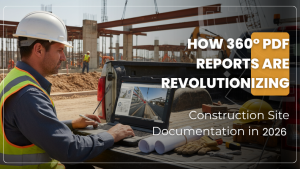
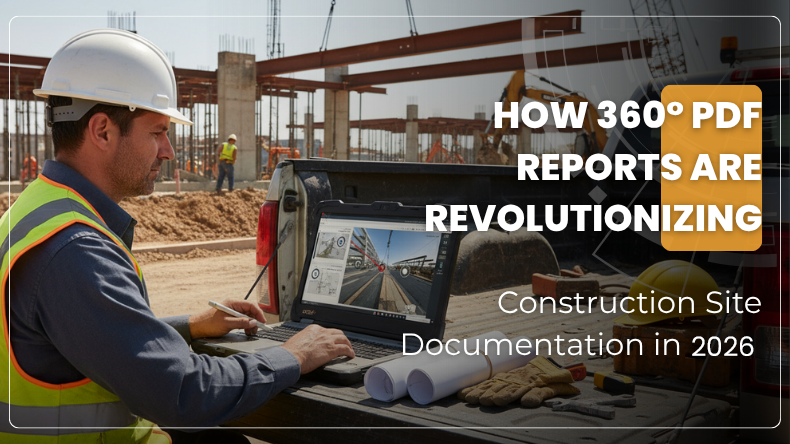
A 360° PDF report is a digital record built from panoramic images. Workers walk the site using a 360° camera that captures every angle. The software then maps those images to floor plans or zones.
Each image lets viewers move around and see the entire space, not just one wall or corner.
These captures are linked to project data like RFIs, trades, and issue notes. The software then creates a single shareable PDF that includes interactive visuals, notes, and data points.
This makes the report easy to share and simple to understand.
Lens360 from iFieldSmart offers this feature. It allows users to export site visuals as detailed 360° PDF reports. These reports store visuals, progress, and closeout data that teams can review or archive.
In short, 360° PDF reports replace piles of photos and written notes with one smart visual document.
Work Smarter, Not Harder
iFieldSmart empowers your team with AI-driven efficiency to simplify scheduling, boost collaboration, and keep projects on track.
Schedule a MeetingWhy 360° PDF Reports Matter
Traditional documentation has limits. Flat photos only show one angle. Written notes often miss details. Organizing images and linking them to plans takes time and effort.
360° reports fix these issues by giving complete context. You can view the entire space, not just fragments. Reports store time, date, and floor location automatically.
This saves time and prevents confusion.
Here’s why 360° reports are different:
- They show the full site in one scan.
- They keep images linked to plans and data.
- They reduce mistakes caused by missing or mislabeled photos.
- They allow remote viewing for teams off-site.
- They store accurate progress records for future reference.
With 360° reports, documentation becomes visual, interactive, and reliable.
Key Features That Drive Change
Let’s break down the main features that make 360° PDF reports a powerful tool in 2026.
1. AI and Expert-Reviewed Observation Reports
- After 360° visuals are captured, the platform uses AI to scan for issues. It identifies defects, missing components, and ambiguities.
- The output is a ready-made PDF with images, issue descriptions, trades, and locations.
- Teams don’t have to type long reports anymore. They just capture and review.
2. One Simple Site Walk
- Workers only need one walk through the site with a 360° camera. No need to stop for individual pictures.
- The software organizes all captures by room, floor, and trade. Every shot is time-stamped and stored.
- That means no missing images or duplicate files. It also means faster, more complete documentation.
3. Linked Project Data
- 360° captures become more than photos. They hold links to RFIs, submittals, and specifications.
- You can click an image and open related files instantly.
- This adds meaning to visuals and makes the report interactive.
- Anyone can trace an issue directly to its technical data.
4. Compare With BIM or Drawings
- Users can compare the 360° visuals with models or drawings.
- This helps identify mismatches between as-built and design early.
- Teams can fix errors before they turn into rework or delays.
- Visual comparison also strengthens quality control and saves inspection time.
5. Trade Progress Dashboards
- Lens360 turns captured visuals into progress dashboards.
- These dashboards show trade progress by area or floor.
- When you export the 360° PDF, it also includes progress visuals and notes.
- Owners and contractors can see what’s done and what’s pending.
6. Closeout and Handover Packages
- At project completion, the 360° PDF report becomes a closeout record.
- It holds visuals, inspection notes, and linked files in one place.
- Facility teams can later use this for maintenance and reference.
- They get a clear picture of what was built and where it is located.
How 360° Reports Change Daily Workflow
- Capture – Walk through the site with a 360° camera once.
- Upload – The system uploads and organizes captures by date and area.
- Analyze – AI scans images for issues.
- Review– Experts check and finalize the report.
- Share – Send the interactive PDF to all stakeholders.
- Archive – Save the report for record-keeping and future reference.
This workflow replaces hours of photo sorting, labeling, and writing. It reduces human error and saves many hours each week.
Benefits by Role
For Project Managers
- Reports arrive ready to use.
- You see site progress without visiting.
- Visual data helps catch problems early.
- You gain stronger proof of progress and completion.
For Field Teams
- No need to write long summaries.
- One quick site walk captures everything.
- Work becomes smoother and less repetitive.
- Issues are tracked visually and easily.
For Quality and Safety Teams
- Visuals improve inspection accuracy.
- You can track compliance with standards.
- Defects are easier to spot.
- Reports provide clear records for audits.
For Architects and Owners
- You see real progress, not just photos.
- Reports include linked data and visuals.
- You can verify quality and timelines remotely.
- Handover packages are more complete and useful.
For Facility and Operations Teams
- Get a visual map of what’s inside the building.
- Access linked specs and maintenance notes easily.
- Plan upgrades or repairs with clear context.
- Avoid guesswork after construction ends.
Frequent obstacles and how they are resolved
360° reports simplify work, and teams should plan for some common issues.
1. Camera Quality
- Use high-resolution 360° cameras to capture clear detail.
- This ensures visuals remain sharp even after export.
2. Internet Access
- If the site lacks connectivity, upload captures later.
- The walk and capture process don’t need live internet.
3. Large File Sizes
- 360° visuals are heavy files.
- Organize them by zone or phase to manage storage easily.
4. Training and Adoption
- Teams need short training sessions to use the tool well.
- Once they see the time saved, adoption improves quickly.
5. Integration with Other Tools
- Use platforms that link with BIM tools, drawing sets, and RFI systems.
- This gives you a complete data ecosystem rather than isolated files.
6. Security and Access
- Use secure sharing settings.
- Only authorized users should open or edit reports.
- Keep backups for each project milestone.
Use case
Imagine a 20-story mixed-use project
The engineer walks each floor with a 360° camera.
Lens360 processes the images, tags them by floor, and adds AI observations.
The software exports a PDF showing each room in panoramic view.
Trade progress is visible through visuals and color-coded charts.
When a plumbing line shifts from the approved layout, the AI flags it.
The expert reviewer confirms the issue and adds a note.
The manager views it from the office and alerts the subcontractor.
The fix happens within hours instead of days.
By project handover, the owner receives a 360° PDF binder showing every system, space, and change.
No lost photos. No missing context.
Just a full, visual, and reliable record of the site.
The Broader Impact in 2026
In 2026, most contractors handle multiple remote projects.
• Traveling to each site every week isn’t practical.
• 360° PDF reports bridge that gap.
• They combine full visual capture, AI assistance, expert review, and linked data.
• That means fewer disputes, faster approvals, and stronger records.
• Reports serve as proof of work and quality for all parties.
• They also make audits and closeouts easier.
• This approach changes site documentation from manual to visual and from slow to instant.
• It’s not just about saving time; it’s about building trust with evidence.
The Future of Construction Documentation
• 360° PDF reports will continue to grow in use.
• They fit perfectly with digital workflows, BIM coordination, and AI-driven insights.
• Soon, these reports will include automatic progress tracking, cost links, and material data.
• That will turn each visual into a living record of the project.
• In the future, owners might use these visuals for long-term maintenance, upgrades, and audits.
• Contractors will rely on them for claims, QA checks, and training.
• The technology already shows how simple ideas—like capturing every view—can solve complex problems.
Final Thoughts
Construction documentation is time-consuming and prone to problems. In 2026, 360° PDF reports are changing that. They replace scattered notes and photos with one smart, visual record. They save time, improve accuracy, and boost communication across every team. When everyone sees the same clear view of the site, collaboration gets easier. And that’s how 360° PDF reports are truly revolutionizing construction site documentation.